Showing posts with label Guest Post. Show all posts

Friday, 2 June 2017

Jamz.ng for Nigerian artists, bloggers, and producers

Jamz.ng is the best Nigerian music download site launched this morning. Jamz was designed to give both upcoming Nigerian musicians and trending Nigerian musicians the same right to promote and put their music online. Here money is not a barrier.
Jamz.ng

Jamz.ng understands how harsh Nigerian economy is and is also giving upcoming Nigerian a musicians a free chance to become celebrity. Musicians can be contacted by anybody who likes their music and will want contract them.

Across all the music studio in Nigeria, music is being produced every day. Jamz.ng gives studio owners the opportunity to make more money by telling their customers that they will upload their song online after production.

Jamz.ng is also beneficial to bloggers because they can now bill their clients extra fee to upload their son in an additional site. Not just that, they can upload their tagged music on jamz.ng and tap into jamz.ng traffic. If they also get popular on jamz.ng their profile will be frequently visited and they will get more traffic

The process of uploading a music on jamz.ng

  1. First upload your music in cloudup.com or zippyshare.com or dopefille.pk
  2. Then copy the download link
  3. Sign up or log in to jamz.ng
  4. Click under the menu click submit a music
  5. Enter the title of your music and its
  6. contents paste/put the download link, Choose the category and submit


At Jamz.ng we work day and night our live chat agent are online 24hrs every day except weekends to ensure that you get the best of jamz.ng. We don’t allow direct music upload on our site to ensure top level security therefore, we recommend the use of file hosting site like cloudup.cpm. We accept suggestion that will make Jamz.ng. Let’s join hands and make jamz.ng a profitable site for us. Jamz.ng is designed to benefit you. The best way to get the best out of Jamz.ng is to give it a test drive. So go ahead and sign up on jamz.ng I am waiting to see you there
Read More »

Thursday, 17 November 2016

3 Of The Best Apps For Sharing Files Between Devices And Friends

The days of transferring files via Bluetooth and USB cables are coming to an end. Sharing files between devices and friends can be easy and fun if you have the right tool for it. Nowadays, we have apps that offer high speed transferring rate, that too free of cost.

We have rounded up some of the best Apps in the market for sharing files among devices that will make your file sharing experience a luxurious and quick process:
Best app share files devices

Xender

Xender is a free App on both Android and iOS that helps you transfer a variety of files. You will be able to transfer photos, music, videos, documents, Apps and other media at lightning speed between devices.

Features:

  • Almost every kind of files such as photos, videos, document and music can be transferred with this App.
  • Also allows you to share ZIP, .APK files between devices.
  • Supports cross platform sharing like IOS to android and vice versa.
  • It uses the WiFi of your Smartphone for sending and receiving files– no Internet connection required.
  • Supports various languages.
  • It is 200X faster than conventional Bluetooth.
  • Xender can be installed on pretty much every Smartphone OS such as Android, Windows Phone and iOS.
  • You don't need to carry USB cable around with you.
  • With internet connection, the transfer rate is extremely high and it won't use data much.
  • "Group" feature enables users to transfer data to more than one participant simultaneously.


Also Read: Top 5 Applications Like Kik Messenger

SHAREit

SHAREit helps you to transfer the data that you want to send between different devices. SHAREit for PC even enables you to transfer files between 2 or more users.

Features:

  • Allows you to share any multimedia files like music, videos, images, pdfs, .docx, .exe and even the whole folders through it.
  • No need to carry inconvenient drives like the USB cables.
  • It does not need an internet connection to transfer the data from one device to another.
  • The transfer speed is much faster as compared to the traditional Bluetooth sharing system.
  • No limitation on the size of the content.
  • QR scanning is used for the fast connection and transfer of files.
  • With SHAREit on your PC, you can control the power point presentations as well.
  • It can be used to browse files on your phones from your PC.
  • Also allows you play media files from your PC on the mobile devices.
  • You can enjoy the app on your windows and mac using Shareit APK.


Zapya

Even though Zapya is comparatively new in the market, it has all the features that of SHAREit and Xender. Furthermore, it also offers features which are exclusive it.

Features:

  • Offers great transferring speed.
  • Allows you to chat with an individual or a group.
  • Zapya also has Air hockey which you and your friend can play.
  • With its “Phone Replicate” feature, you can easily backup and transfer data from your old phone to the new one.
  • The User Interface of Zapya is user friendly compared to other major file sharing Apps.
  • You can also hide files and apps which you don’t want others to see.

Try these Apps for exceptional, hassle free and quick file sharing experience without any extra cost.


Author Bio:

Tanisha Mehra is tech enthusiast who loves to write on topics related to Apps, latest gadgets and technology. She is the editor of Tech magnetism
Read More »

Wednesday, 2 November 2016

Why and How to Use Tinder without Facebook – Tips & Tricks

Internet has become an inseparable part of our life. Social media is the second world that we live in now. When there is so much we can do online, we can also find a date using an app. That’s exactly what Tinder app is for. In fact, Tinder is the most widely used dating app of the world. A lot of people have successfully found companions, matches and friends through this app.

If you are cooped up in your house (maybe because you only work from home) and you wish to establish some connection with an individual, Tinder is the go to app for today. But, there is a challenge; it uses your Facebook account to sign up and login.

Looking to use Tinder without Facebook, here are some tips and tricks.
Tinder without facebook

Why Tinder without Facebook? 


First of all, let’s clear the air around as to why you may want to use Tinder without Facebook. Privacy is the word you may be looking for. When you are using any app that uses Facebook to login, you are allowing the app to access your personal information. If you have privacy concerns you would not want that to happen.

However, if truth be told, there are hundreds of reliable apps that use Facebook information everyday and they cause you no harm. Tinder is a trustworthy application. Millions of people have confidently shared their Facebook details and it not a single privacy breach incident has been reported. So, there is nothing much for you to worry about here.

There is another thing too, though, that might want you not to link Facebook with Tinder. After all, it is a dating app and people want to keep their personal life private. A lot of people do not want their friends or family to know that they are using an ‘app’ to find a date or friend. This may not go down very well in their society.

Again, you really have no reason to be concerned about. Even though Tinder uses your Facebook account, it does not post anything on your behalf. The privacy settings, by default, are ‘Only Me’. You can go to Facebook Settings and check this in the ‘Apps’ section.
Why tinder with facebook


How to use Tinder without Facebook


Alright, let’s get it very clear. There is absolutely no way you can use Tinder without a Facebook account, not yet. So, what do you do? Thankfully, there is a workaround.

Tinder only needs a Facebook account to sign you up; it does not verify whether the account is authentic or not. In fact, there are no such criteria set by Facebook to identify an account as genuine unless there is some spammy, suspicious activity.

So, what you can do is create another account on FB in your name and use your own pictures. You can use this account to login to Tinder. So, you don’t have to use your original FB account to login.

But, there is one more thing to remember: If you are using your original account for Tinder, none of your FB friends using Tinder will see you in the app. On the other hand, if you are using another account, they might stumble on your Tinder profile.


Author Profile:

Deepak Raghav is a distinguished research consultant and writer. He is having vast experience in writing and Digital marketing and now operates his own blog myapps4pc.com on the regular basis. You can connect with him on Google+.

Read More »

Monday, 24 October 2016

Best Video Editing Tools for Windows and Mobile Phones

Did you just shoot a video and want to make it better with an easy to use video editing app on your mobile phone or Windows PC? Thanks to the evolved technology, it is now possible to do the video editing job which once could only be done by the experts. Our computers have advanced and our smartphones now can do so much more than we could have imagined a decade ago. If you are looking for some really cool video editing apps for your Windows and Mobile, take a look at our recommendations below. These apps can be used to create some really awesome quality videos.
Best Video Editing tools for windows and Mobile

iMovie

It is impossible to not talk about iMovie when we are talking about the video editing apps. We know that anything that is designed or developed by Apple becomes a rage. This is because they are known to design some really incredible applications and iMovie is one of them. Since iMovie is an in-house product of Apple, it is only available on the iOS and OSX devices. It comes packed with a lot of great video editing features. It also has a very nice interface that lets you easily edit the videos without any pre-training. Cropping, trimming, clipping, adding filters, and adding audio are some of the jobs you can do very easily with iMovie. But, you’ll be disappointed here, if looking for iMovie for PC or Android.


Kinemaster for video editing

KineMaster

Looking for a video editor for your Android smartphone? You should definitely try KineMaster. This app has got a really stylish interface. But the style doesn’t compromise with utility. It has all basic features as well as some advanced features too. KineMaster is easier to use than most of the other video editing apps. Therefore, it is a great tool for the casual video editors.

VirtualDub

Virtual Dub isn’t exactly a very well known video editing application. However, this does not make it any less. In fact, it is an extremely powerful and advanced video editing app for the Windows users. There are lots of great features this app comes packed with. You can easily split the video, compress it, and do a lot of other things. You can also add the audio too. It also has many filters of its own. However, you can also download free filters.
Voilabit for video editing

Voilabits

This is another awesome video editing application designed to be used on the Windows operating system. A lot of people are already using this application and it is becoming extremely popular. Voilabits is somewhat a semi-professional grade video editor. It has many advanced feature for professional video editing projects. But it also has all the basic features which are indeed quite easy to use. Thus, even the laypeople can use it easily and create beautiful videos.


Wevideo for editing video

WeVideo

Video editing is a task that requires powerful computing in the background. This is why video editing on your PC is faster as compared to your phone. But WeVideo is different from the rest. Instead of video editing in your phone you do it in the cloud. The only challenge is that you need to upload the video first.


Author Bio : Tanisha Mehra is tech enthusiast who loves to write on topics related to Apps, latest gadgets and technology. She is the editor of Tech magnetism.


Read More »

Wednesday, 12 October 2016

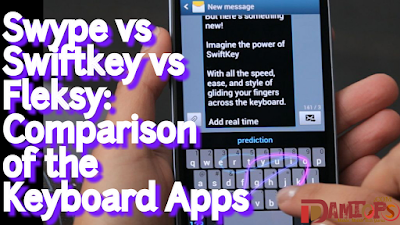
Swype vs Swiftkey vs Fleksy: Comparison of the Keyboard Apps

The basic way to contact your friends with a smartphone is your keyboard. Every word you type, every search you do or every message you send - all depends on that keyboard consisting of few characters and 26 letters to be precise.
Comparison-of-Swype-Swiftkey-Fleksy-Keyboard-Apps
Sometimes you feel frustrated with typing on your smartphone and desperately want something that actually makes your fingers fly on the screen. Well the good news is, the digital market does offer you an opportunity to experience flawless typing through a handful Keyboard applications.

Now the question is about which one is the best, that is still left to determine. So today we will discuss three amazing Keyboard applications. We’ll let you know which one is the best for you.

1. SWIFTKEY


SwiftKey has Artificial intelligence as its Unique Selling point. With SwiftKey users don’t need to see the keyboard after a few days of usage as the KeyBoard will predict your next word and let you type with ease and speed. Practically SwiftKey somehow manages to decipher what you exactly want to say.
Comparison-of-Swype-Swiftkey-Fleksy-Keyboard-Apps
Its auto correct algorithm is not the only USP of SwiftKey, customers get different themes for their everyday entertainment. Gesture based typing is one support to SwiftKey that differentiate it from other keyboard applications. Its next word prediction is uncannily accurate for most of the users.

After few days of use SwiftKey will enable Emoji prediction as well. SwiftKey downsides as just its cosmetic issues for example, its theme choice. You can find unlimited themes for your keyboard but nothing stands individually. Users don’t find them attractive when applied to the keyboard. Other than that SwiftKey has no space for disappointment.

KEY FEATURES:

  • Learn from you: Yes 
  • Next word prediction: Yes 
  • Updated dictionary: Yes 
  • Bilingual: Yes 
  • Coolest features: More or less yes 
  • Price for pro version: Yes 
  • Themes: Not quite enticing 
  • Gesture typing: Yes

2. FLEKSY


Fleksy is yet another Keyboard Application that has the best auto correct algorithm. It doesn’t support gesture typing but still it takes advantage of gesture input by recognizing your most used words on the keyboard. Best thing about Fleksy is its GIFs and Emoji support.
Swype-Swiftkey-Fleksy-Keyboard-Apps
The only caveat you’ll face with Fleksy is non availability of Gesture based Keyboard. Otherwise, Fleksy is one of my favorite keyboard application till now. It provides you with excellent themes, updated dictionary, auto correct algorithm, GIF integration and much more.

KEY FEATURES:

  • Learn for you: Yes 
  • Updated Dictionary: Yes 
  • Themes: Yes Bilingual: Yes 
  • Coolest Features: Yes 
  • Emojis: Yes GIF Support: Yes 
  • Gesture Typing: No 
  • Next Word Prediction: No

3. SWYPE


Swype being the pioneer app is the most difficult to beat. It is the original brain behind the entire process of typing simpler and easier. Swype has its strength in gesture based typing and of course one of the best in it. Beyond just typing swype gives you best typing speed, themes, strong autocorrect and word prediction.
Comparison-of-Swype-Swiftkey-Fleksy-Keyboard-Apps
It living Languages features keep your dictionary up to date for future references. The keyBoard learns from your typing and gives you quite accurate predictions as well. The only Drawback with Swype its gesture writing. You won’t find its gesture writing impressive or rather smooth as compared to other applications.

KEY FEATURES:

  • Learn from you: Yes 
  • Bilingual: Yes 
  • Dictionary sync: Yes 
  • Themes: Yes 
  • GIF support: No 
  • Coolest features: Approximately 
  • Price for pro version: Yes 
  • Next word prediction: Yes 
  • Emojis: Yes

CONCLUSION


According to the search we find SwiftKey the best keyboard application for most of the users. It is quite satisfying with its raw typing, next word prediction, Dictionary sync, Gesture typing and much more. Though it lacks in impressive themes but I am sure that can be adjustable. Do let us know your opinion on the best suited KeyBoard for you by writing your comments below. Thank You!

Author’s Bio - Swati Sharma is a tech blogger and part-time writer at various tech establishments. She blogs at bloomtimes.com and in her free time, she likes to play golf.

Read More »